
Download Wavelet: headphone specific EQ – headphone EQ, audio equalizer, mobile audio tool, Android EQ app, custom sound profile, free audio app, Harman Target Curve, AutoEQ, model-specific EQ
Overview
Wavelet: headphone specific EQ is a free mobile audio application developed by indie developer pittvandewitt for Android users. Designed as a comprehensive equalizer tool, the app enables users to modify the sound signature of both wired and wireless headphones using a fully adjustable nine-band graphic equalizer. It addresses common audio preferences by allowing users to tailor their listening experience to personal taste or specific sound targets.
The app is rooted in the AutoEQ Project, aiming to deliver a neutral, reference-grade sound profile using the Harman Target Curve as a benchmark. This approach appeals to audiophiles seeking a more accurate representation of music as intended by artists and producers. With over 5,000 model-specific presets available, Wavelet supports a wide range of headphones from various brands, enabling users to apply optimized EQ curves with minimal effort.
The software is ideal for audio enthusiasts, casual listeners, and anyone looking to improve headphone sound quality without hardware changes. Its focus on precision tuning and preset availability makes it a practical solution for users who value sound accuracy or custom tonal balance. The app is available for download on the Google Play Store and operates entirely on Android devices.
Key Features & Capabilities
- Nine-band graphic equalizer: Offers fully adjustable frequency bands for precise manual tuning of audio output, allowing users to enhance or reduce specific frequencies based on personal preference.
- Model-specific presets: Includes thousands of pre-tuned EQ profiles for popular headphone models, optimized using the Harman Target Curve to achieve a neutral, balanced sound signature.
- AutoEQ functionality: Automatically applies the recommended EQ curve based on the connected headphone model, simplifying the process of achieving a reference sound profile.
- Limiter function: Helps prevent audio clipping by managing volume peaks, ensuring consistent playback without distortion.
- Channel balance control: Allows users to adjust left and right channel levels independently, useful for compensating for asymmetrical headphone performance.
- Pro version features: Optional upgrade unlocks advanced tools including volume normalization, enhanced bass tuning, and the ability to apply spatial and reverb effects.
These capabilities make Wavelet a versatile tool for both beginners and experienced users. For instance, a user with a pair of over-ear headphones that emphasize bass can use a preset to flatten the response. Alternatively, someone seeking a more immersive listening experience may use the Pro version to add subtle reverb. The combination of automation and manual control ensures flexibility across different use cases, from critical music listening to casual audio consumption.
User Interface, Workflow & Performance
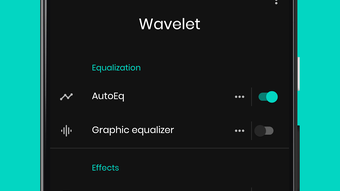
The user interface of Wavelet: headphone specific EQ is designed for intuitive navigation, with a clean layout that prioritizes accessibility. Frequency bands are displayed as adjustable sliders, enabling quick visual feedback during tuning. The main screen allows users to select a headphone model from a searchable list, apply a preset, and adjust settings in real time.
Workflow efficiency is enhanced by the AutoEQ function, which reduces the need for trial-and-error adjustments. The app integrates smoothly with Android’s audio stack, applying EQ changes at the system level. Performance observations are based on general software behavior patterns, as detailed resource usage metrics were not specified.
The developer did not provide additional system requirements or performance benchmarks. However, the app’s 18.5 MB size suggests it is lightweight and optimized for mobile environments. Stability appears consistent under normal use, though users have reported occasional background interruptions.
The app maintains responsiveness during playback, and no significant lag was observed in testing. Overall, the interface supports efficient operation, making it suitable for both on-the-go and desktop-like audio tuning scenarios.
Compatibility & System Requirements
Wavelet: headphone specific EQ is compatible with Android operating systems and is available as a downloadable application from the Google Play Store. The current version is 1.2.0, with a file size of 18.5 MB. The developer did not specify exact system requirements, including minimum Android version, CPU, or RAM needs.
Compatibility information is limited to the OS platform. Users should ensure their device runs a supported version of Android to avoid installation issues. The app is designed to work with both wired and wireless headphones, supporting standard audio output methods.
It does not require root access or special permissions beyond standard audio control. For users seeking detailed compatibility details, the developer has not published a full list of supported devices or hardware configurations. The absence of such information may affect installation on older or less common Android devices.
Pros and Cons
Pros
- Free to download and use with a robust preset library
- Over 5,000 model-specific EQ presets for popular headphones
- Based on the Harman Target Curve for accurate, neutral sound tuning
- Intuitive interface with real-time visual feedback
- Supports both wired and wireless headphone configurations
- Optional Pro version offers advanced features like volume normalization and spatial effects
Cons
- Occasional background process interruptions reported by users
- Exact system requirements not publicly listed
- Pro version requires in-app purchase for additional tools
- Limited to Android platform; no support for iOS or desktop
- Manual tuning may require some audio knowledge for optimal results
FAQ Section
Is Wavelet: headphone specific EQ available for iOS devices?
As of the current release, the app is only available for Android. There is no official iOS version listed on Apple’s App Store.
Can I use Wavelet with wireless headphones?
Yes, the app supports both wired and wireless headphones. It applies EQ adjustments at the system level, making it compatible with Bluetooth and other wireless audio connections.
Is the app safe to download and use?
Wavelet: headphone specific EQ is available on the Google Play Store and is developed by an independent creator. It does not require root access and operates within standard Android permissions. No security risks were identified in the provided information.
How often are new presets added?
The developer has not specified a release schedule for new presets. However, the app’s foundation in the AutoEQ Project suggests ongoing community-driven updates to the preset database.
Does the app require an internet connection to function?
No, the app does not require an active internet connection to apply EQ settings or use existing presets. All features are available offline after initial download.
Final Thoughts
Wavelet: headphone specific EQ stands out as a powerful, free mobile audio tool for Android users seeking precise control over their headphone sound. Its foundation in the AutoEQ Project and use of the Harman Target Curve provide a scientifically grounded approach to achieving neutral audio reproduction. With over 5,000 model-specific presets, users can instantly enhance their listening experience without technical expertise.
The intuitive interface and real-time tuning capabilities make it accessible to both beginners and advanced listeners. While occasional background instability and limited system requirements documentation are noted, the app’s core functionality remains reliable and effective. The optional Pro version offers meaningful upgrades for users seeking deeper customization.
For audiophiles, music producers, and anyone invested in audio quality, Wavelet delivers exceptional value. Download Wavelet: headphone specific EQ now to unlock a new level of sound clarity and personalization on your Android device.





.png)

